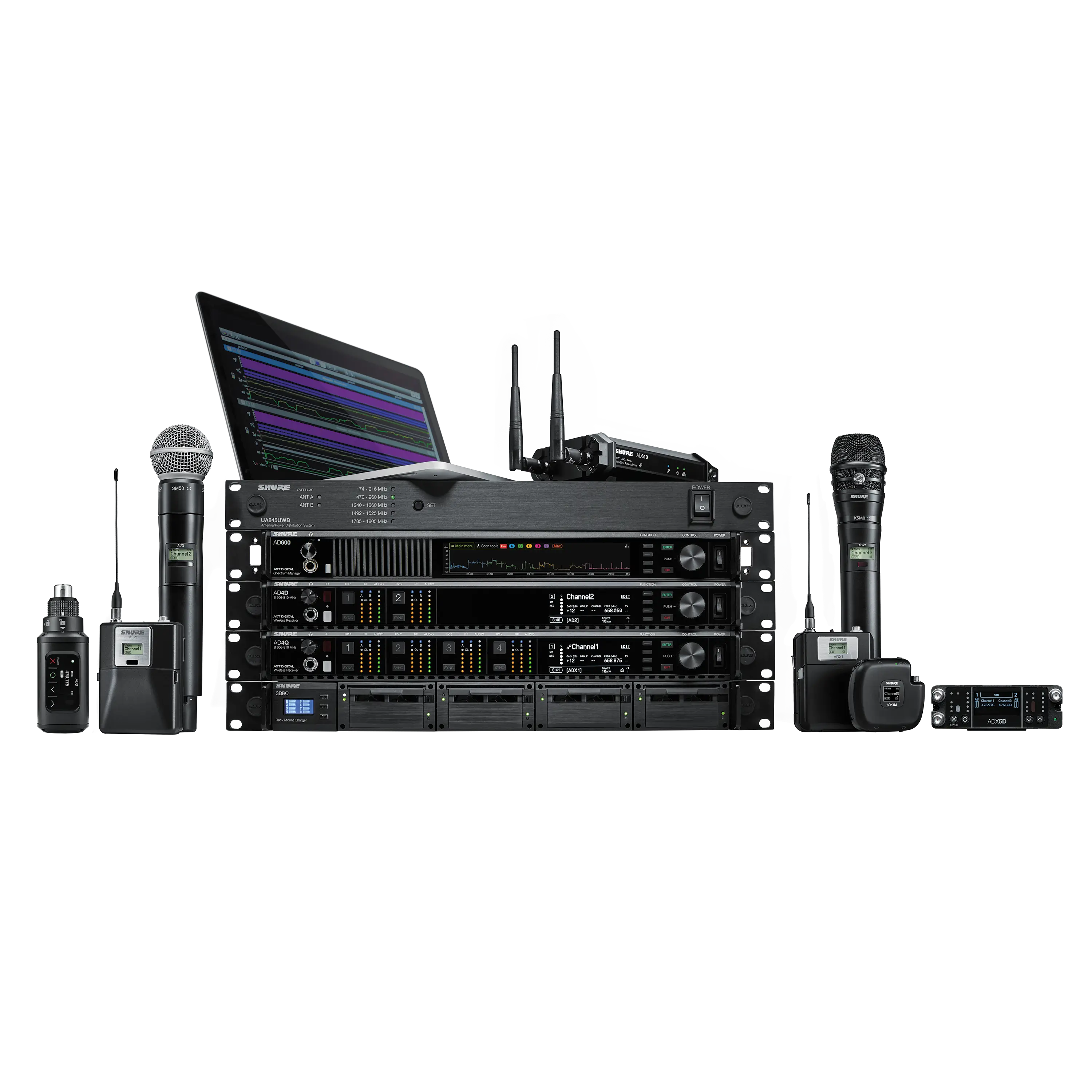
Axient Digital: The Industry Standard That Keeps Evolving

Key Takeaways
- Axient® Digital 1.6 firmware update introduces Channel Linking and Preferred Access Point, giving audio professionals new ways to improve wireless system reliability and control.
- Channel Linking helps create redundant wireless audio workflows by synchronizing settings across Axient Digital and ANX4 receiver channels.
- Preferred Access Point enables more precise management of ShowLink® access point connections, particularly in dynamic RF environments.
- New workflows support demanding applications such as broadcast, film production, sports broadcasting, and large-scale live events.
- The latest firmware release continues the evolution of Axient Digital, expanding the flexibility and scalability of Shure's flagship wireless platform.
Shure’s evolution of the Axient platform started with our high-end, interference-resistant analog Axient system in 2011. The transition to Axient Digital in 2017 brought groundbreaking digital innovations and scalability. Ongoing development (like ADX Series transmitters, AD600 advanced spectrum management, AD3/ADX3 and ADX5D portable solutions, and regular software and firmware updates) illustrates Shure’s dedication to exceeding industry expectations and supporting the highest-tier users.
Axient Digital 1.6 firmware brings new features, including Channel Linking and Preferred Access Point, as well as useability updates. Here's a look at how these new features can help audio professionals build more flexible and reliable wireless workflows.
Channel Linking
Channel Linking enables Axient Digital users to create robust wireless audio systems with redundancy by linking channels across Axient Digital wireless receivers (AD4Q, AD4D, and ADX5D) and the ANX4 scalable wireless receiver. This feature ensures continuous operation, maintains ShowLink relationships, and allows spare transmitters to be routed to any receiver, including encryption key sharing. In other words, it enables multiple receiver channels to replicate the key settings of one primary channel. When channels are linked, key settings are dynamically kept in sync.
Channel Linking is ideal for complex scenarios–such as a parade route or when you’re using both a rack and bag receiver in a production–offering reliability and flexibility in large-scale deployments. As a result, it enhances system performance and reliability.
Example 1: Parade Route – A speaker with an Axient Digital wireless microphone set to Channel 1 is travelling along a parade route and a PA system with wireless receivers are set up at various sites along the route. To have the Axient Digital wireless microphone connect to each of the receivers when it moves in range (without sacrificing ShowLink functionality or requiring a manual sync at each site), simply set the group and channel on your first receiver, then link that channel on the other receivers along the route. Additionally, a backup Axient Digital receiver can be linked as secondary devices for seamless broadcast redundancy in any given situation.
Example 2: Broadcast/Film Shoot – Imagine a situation in broadcast television or film that requires both an installed, or rackmount audio capture and a mobile cart/bag audio capture on the same day or even in the same shot with the same transmitters. You might have an Axient Digital rackmount receiver (AD4Q, AD4D, or ANX4) that’s being used to capture audio in a studio or on a soundstage and an audio bag with an ADX5D when the shot moves outdoors. To avoid re-synching the wireless microphones and/or bodypacks when moving between the two environments, set the group and channel on the AD4Q (AD4D or ANX4) in the studio, then link that channel on the ADX5D mobile rig.
Preferred Access Point
Traditionally, access point control for Axient Digital portable devices, via the AD610, was based on signal strength alone. Meaning, as an Axient Digital transmitter moved or was relocated, control automatically passed from one access point to another providing seamless, though automatic, control. For many users, this is a fantastic, worry-free, automatic process that works in the background without any issues.
With the 1.6 firmware update, users can now have the option to choose which access point controls Axient Digital portable devices manually, providing more precise control for the user, when required.
Example: Sports Broadcasting – Imagine a sports arena with AD610 access points positioned at opposite ends of the field. Traditionally, Axient Digital transmitters remain connected to the access point with the strongest signal and only switches when that connection is lost. With Preferred Access Point, engineers can proactively assign the Axient Digital transmitter being used for sideline interviews, for example, manually to a specific access point or move them before signal quality becomes a concern as the RF space becomes congested over the course of a game. This gives operators greater flexibility to optimize wireless performance in dynamic, high-pressure live production environments.
What's Next for Axient Digital
Both exciting new features, Channel Linking and Preferred Access Point, can be setup and managed from Shure Axient Digital wireless receivers or Wireless Workbench® (v 7.9.0 and forward). Be sure to check out the Axient Digital User Guide for more specific operational information.
From the release of the Axient analog system in 2011 and the award-winning follow-up Axient Digital wireless system in 2017 to this firmware update release in 2026, Shure continues to evolve flagship wireless, adding new features and benefits along the way. As users’ needs evolve, we’ll make sure Axient Digital evolves with you.
Frequently Asked Questions About the Axient Digital 1.6 Firmware Update
What is Channel Linking in Axient Digital?
Channel Linking allows multiple Axient Digital receiver channels and ANX4 channels to share and synchronize key settings from a primary channel. This helps maintain consistent operation and supports redundant wireless workflows.
When would engineers use Channel Linking?
Channel Linking is designed for complex deployments where audio may need to move between multiple receivers, such as parade routes, broadcast productions, film shoots, or workflows that combine rackmount and portable receivers.
What is Preferred Access Point?
Preferred Access Point gives users the option to manually choose which AD610 access point controls an Axient Digital portable device, rather than relying solely on automatic signal-strength-based switching.
How can Preferred Access Point help in live sports production?
Engineers can proactively assign transmitters to specific access points as RF conditions change throughout an event, providing greater control in busy and dynamic wireless environments.
Where can Channel Linking and Preferred Access Point be configured?
Both features can be configured and managed directly from Axient Digital wireless receivers or through Wireless Workbench® version 7.9.0 and later.
What does Axient Digital 1.6 add to existing wireless workflows?
The firmware introduces new tools for receiver redundancy, access point management, and workflow flexibility, helping users adapt wireless systems to a wider range of live production environments.