Specifying Wireless Microphone Systems: What to Consider

AV system designers face an increasingly wide range of challenges when specifying and selecting wireless microphones. Consultants and integrators are consistently asked to address two key end-user expectations, whether they’re working on a performance space or conference facility: high channel counts in the face of shrinking available spectrum, and aesthetic demands that compromise wireless operation.
As a former integrator and consultant now working for Shure, I am encouraged by the amount of useful information available to today’s designers and installers; however, I am consistently surprised by how few AV designers are aware of these tools.
My goal in writing this is to help designers and integrators provide the information needed to effectively meet their clients’ wireless needs, no matter how unreasonable they may seem.
Let’s look at the first end-user expectation, high channel counts. There are solutions to the inherent RF problems, and I’ll walk you through them.
Problem: High Channel Count with Shrinking Spectrum
Let’s face it: people are spoiled. Twenty years ago, wireless mics were regarded with some caution and used only when absolutely necessary. Today, end-users want and expect every microphone to be wireless and to operate flawlessly.
Previously, the only RF options were handheld or bodypack systems. Today, manufacturers like Shure offer wireless gooseneck and boundary microphones for tabletop use. This has enabled an all-wireless approach that is aesthetically appealing and extremely flexible in allowing even higher channel counts.
At the same time, we’ve seen our industry's "beachfront property" in the UHF frequency range being eroded by the tides of technology. Digital TV, white-space devices, cellular phones, and high-speed Internet are significant spectrum-hungry advances. The Federal Communications Commission (FCC) has been required to build infrastructure to enable these technologies, resulting in the loss of significant swaths of spectrum previously available to wireless microphones.
It is no longer enough to ask "how many channels?" Today, the type of use, the local RF environment, and even the operator's experience all need to be factored in. Meeting the increased demand for wireless mics is not as simple as it was ten years ago. But it can still be done, and the results can be spectacular.
Solution: Diversity in Frequency Ranges
Even with 700 MHz gone and 600 MHz set to be diminished by the end of the decade, the truth is that the FCC has become sensitive to the needs of wireless microphone users, and is committed to providing sufficient spectrum solutions to meet them. While we can expect to have less UHF real estate to work with, the good news is that our range of options will grow.
For those designing systems in today's uncertain atmosphere, use these simple rules of thumb:
- Perform a comprehensive RF survey of the space. You'll want to know every RF source across the full spectrum, not just the UHF range.
- Avoid 600 MHz products if possible until the auction results are known. Explore new frequency options, such as the 902–928 MHz ISM band and the 1.92 GHz DECT band, in addition to UHF below 600 MHz.
- When channel count needs increase, be prepared to "mix and match" multiple products to achieve the client's needs.
- When channel count needs increase, be prepared to "mix and match" multiple products to achieve the client's needs.
- Look at digital RF systems, which are more spectrally efficient than traditional analog wireless, with higher channel counts in smaller slices of spectrum.
- Ask the manufacturer for a solution. Let them help.
As designers, we now have more than one color on our RF palette. Newer systems like the Shure Microflex™ Wireless (or MXW) and ULX-D® Digital Wireless (now available in the 902–928 MHz band) may make more sense than UHF in many applications. Both are relatively interference-free, offer high channel counts, and are specifically designed for permanent installations.
Now let’s look at the second end-user expectation, aesthetic demands that compromise wireless operation. Believe it or not, there are solutions.
Problem: Aesthetic Demands That Compromise Wireless Operation
As designers and integrators, we are often asked to hide AV equipment from view, usually for aesthetic reasons. Personally, I find it odd that massive line arrays and video screens are acceptable, but a couple of RF antennas are not. Still, it's part of the job.
The message here is twofold: first, the system's functionality is paramount. When the CEO is on the mic, the audio must be flawless. It's our job to inform the client when the architect's aesthetic desires put performance at risk. And with the ongoing changes in available spectrum, this issue will need to be addressed more and more frequently.
Why? The answer is simple: line of sight.
Maintaining line-of-sight between the transmitter and receiver antennas is more than just a rule of thumb; it's a law of physics. While the UHF range is fairly forgiving in this area, other ranges at higher frequencies are less so. When construction elements like metal ceiling panels, older plaster-over-lath, HVAC ductwork, and folding partitions come into play, line of sight becomes a critical factor in successful system design. Leaving the antenna inside of the rack is far from best practice in antenna design solutions for wireless microphones.
Solution: Minimizing Visual Impact
Antenna selection and placement are essential design considerations. Familiarize yourself with all the options, as there are some pleasant surprises out there.
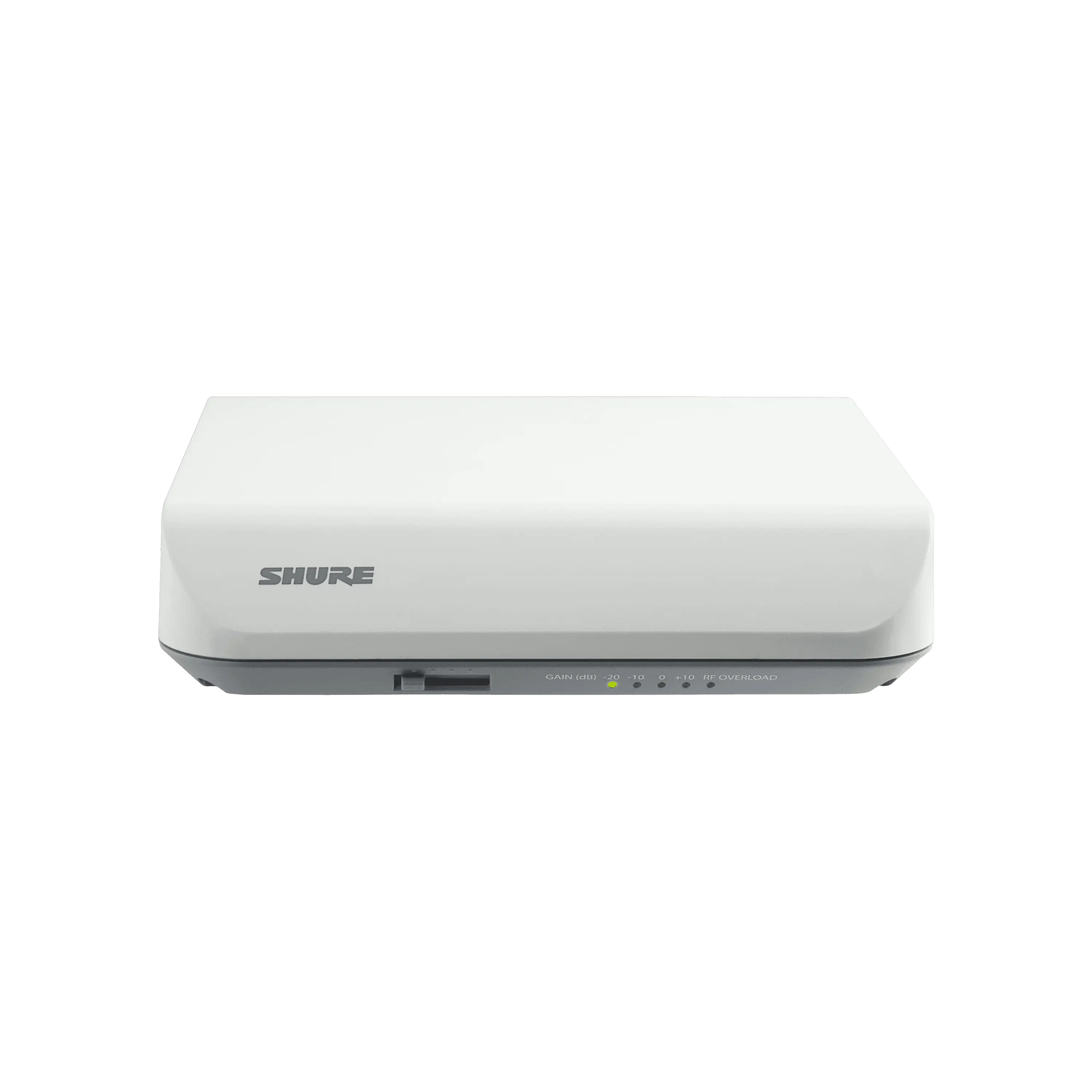
For instance, Shure has created the UA864, a receiver antenna that looks like a typical Wi-Fi access point. While not invisible, this sleek, rectangular box is more visually acceptable than its half-wavelength counterparts.
Similarly, Microflex Wireless, designed specifically for conference rooms, uses a white, wall-mounted transceiver that serves as both the system's antenna and the head-end hosting the web server that provides the user interface.
Overall, the type of antenna used is an important consideration in system design. It must match the frequency range being used, and the polar characteristics should be chosen based on the coverage area, distance, and room design. Half-wave antennas are always preferred over quarter-wave antennas, as size matters with RF antennas.
It amazes me how often a troubled wireless installation can be fixed with off-the-shelf solutions: low-loss cabling, line-of-sight deployment, active vs. passive antennas, and so on.
Camouflaging antennas may quell the architect’s aesthetic concerns, but it should never be allowed to compromise wireless system performance. A clean look is nice, but when wireless mics are an integral function within the space, trouble-free performance should always be the primary goal.
Tools for Success
As wireless systems become more advanced, most have also become more powerful. Shure has an online support system unmatched in its ability to help you deliver solutions your clients will embrace.
Just go to the Shure website, select Support, then click on Tools. Here are some of the wireless resources you'll find there.
Wireless Workbench® 7
This is a free, downloadable, and absolutely awesome RF software suite. It has a ton of features for analyzing inventory, frequency coordination, and monitoring, but it's also a useful tool for checking wireless microphone system designs based on the exact location of the project. Both Mac and Windows versions are available.
Wireless Frequency Finder
For those wanting a simpler tool than Wireless Workbench, the Wireless Frequency Finder should fit the bill. It's a resource for determining usable frequencies for Shure Wireless Systems in the United States.
Wireless Accessory Wizard
This tool tells you precisely which parts will be needed for deploying the selected Shure system. Input variables include system, frequency band, number of devices, antenna type, and remote deployment details.
Wireless Mic Remote Antennas Tool
This tool uses uses distance to the receiver antenna to recommend specific setup options, including cable type.
The Wireless Tools section offers much more, including access to Shure's amazing Find An Answer knowledge base. These are all FREE and extremely useful tools that Shure updates regularly, and they can make you a more effective wireless systems designer. I strongly recommend that you go to http://www.shure.com/americas/support/tools and bookmark it now.
The last resource I want to mention is your Shure Market Development Specialist. Whether it's a design question or assistance with an existing system, we're here to help.